One platform to run every service job

SERQ captures the lead, books the visit, sends the right technician, and releases the payout when the job is done.

Payments, WhatsApp, ads, and shipping

  • StripeStripe
  • RazorpayRazorpay
  • WhatsAppWhatsApp
  • MetaMeta
  • Google AdsGoogle Ads
  • ShiprocketShiprocket
  • CashfreeCashfree
  • Google CalendarGoogle Calendar
  • InstagramInstagram
  • FacebookFacebook
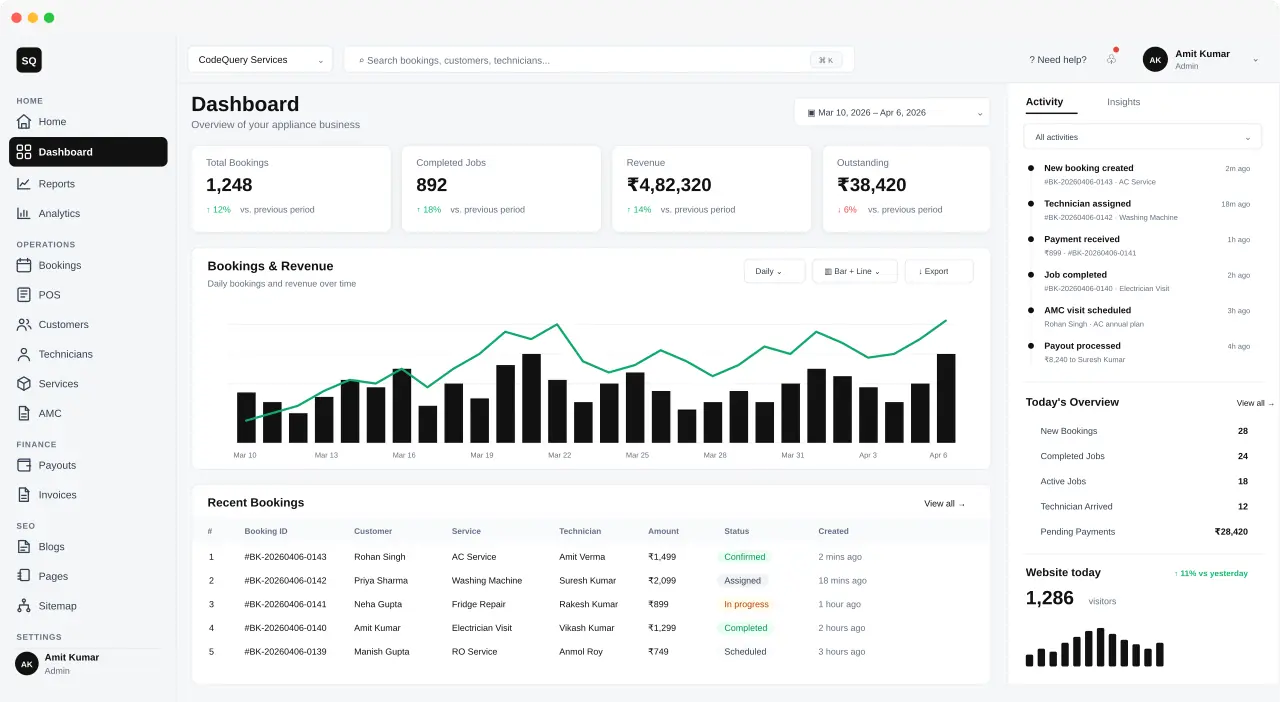
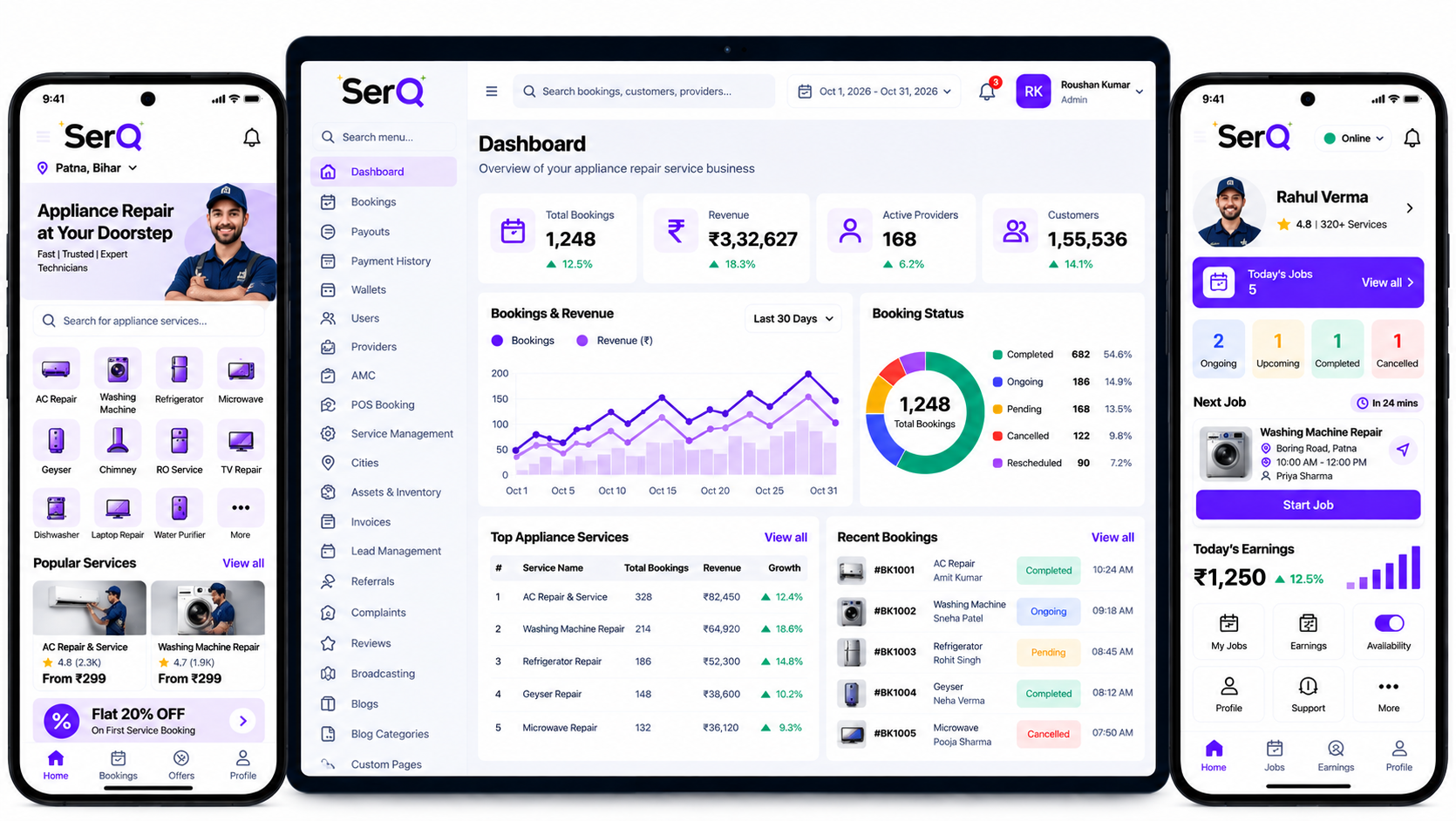
SERQ admin dashboard with bookings, revenue, and live jobs

How it is packaged

The admin panel and partner app on one subscription.

Both come with the subscription. A branded website is an add-on on that plan.

  • Included

    Admin panel

    The subscription covers the panel your office uses for bookings, teams, payouts, and reports.

  • Included

    Partner app

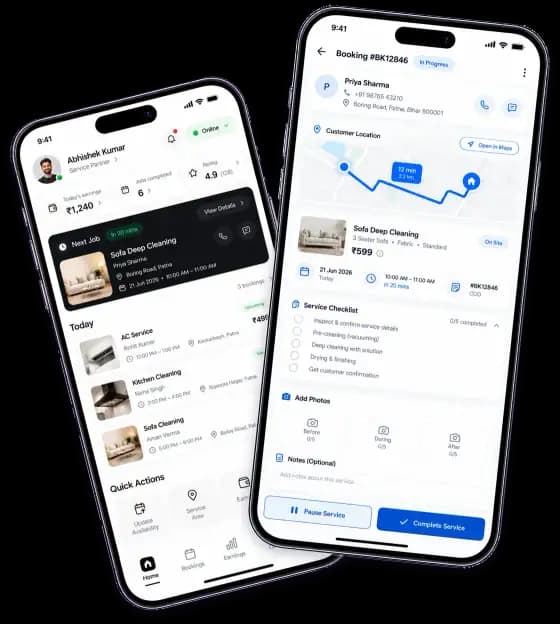
    Partners on the same subscription receive jobs, update the visit, and close work from the phone.

  • Add-on

    Website

    A branded booking site is added to the subscription and can be live within minutes.

Partner app home and an in-progress booking

Industries we serve

How Code Query helps you in different sectors

Bookings, dispatch, customer updates, and payouts run on one platform. Each sector uses it for the work that happens on the ground.

View more

10 and 15 minute visits

Live clocks, and the jobs still waiting

10 and 15 minute visits keep their own timers. Pending work, jobs closed by the hour, and today's website sit beside them.

See quick service workflows
  • Two clocks, not one long list

    10 minute repairs sit apart from 15 minute cleans and express salon slots.

  • The partner is on the timer

    Each visit names who is out, the area, and how many minutes are left.

  • Pending stays in view

    Jobs with no partner yet show the area, the slot, and how long they have been waiting.

Quick service board with live timers, a pending queue, hourly closures, and website visitors

Live clocks, and the jobs still waiting

10 and 15 minute visits keep their own timers. Pending work, jobs closed by the hour, and today's website sit beside them.

Two clocks, not one long list. 10 minute repairs sit apart from 15 minute cleans and express salon slots.

The partner is on the timer. Each visit names who is out, the area, and how many minutes are left.

Pending stays in view. Jobs with no partner yet show the area, the slot, and how long they have been waiting.

Every open project, with the week beside it

Six sites show the crew, the stage, and what has been collected. Visitors, the week's graph, and materials sit on the same desk.

Six projects, one board. A 2BHK, a villa, a kitchen, and a damp repair each show rooms, crew, stage, and amount.

Repair happens before the coat. The damp job stays on the board with the paint work, marked as repair until the walls are ready.

Website visitors, counted today. Home, the painting guide, and the estimate page show who is already looking.

Bookings, technicians, and AMC on one desk

Today's numbers, the bookings chart, website visitors, and the latest jobs — AC, washing machine, fridge, and AMC — stay on the same screen.

The latest job names the appliance. AC service, washing machine, fridge repair, and the technician are on the booking row.

AMC stays in the same activity list. An annual visit shows up next to a repair, with the customer and the plan on the card.

Revenue sits beside open work. Collected, outstanding, and who is out today are on the desk, not in a separate report.

The floor, the queue, and today's site

Each bay job shows the plate, the mechanic, and how far the work has gone. Pickups, the week's jobs, and website visitors sit beside the floor.

Every bay job is on the list. Full service, brakes, a battery check, and the cars still waiting each show the plate, mechanic, and progress.

Pickup and drop are a queue. Who is en route, which area, and when the car comes back, listed under the bays.

Ready means handover. A bay at 100% is marked ready, and the job amount is already on the card.

Today's visits, packages, and site traffic

Each home visit names the client, the artist, and the package. Website visitors and what sold today sit beside the book.

The artist is on the visit. A haircut, a bridal block, and a facial each name the client, the artist, and the area.

Packages sit beside the book. Bridal, hair, and skin show what sold today, with the amount on the same card.

Website visitors, counted today. Home, bridal packages, and the booking page show who already came to the site.

The clinic day, collections, and site traffic

Each slot names the patient, the test, and who is seeing them. Home collections, the week's appointments, and today's visitors sit beside the list.

The clinic day is a list of slots. Time, patient, and status stay in order, from checked in to still booked.

Collections follow four steps. Booked, en route, collected, and report ready each name the patient.

Website visitors, counted today. Home, the checkup article, and the test booking page show traffic beside the clinic list.

Today's routes, notes, and site traffic

Each stop names the pet, the caregiver, and the handling note. Website visitors and the week's visits sit beside the routes.

One route per caregiver. Amit, Suresh, and Ananya each have their stops, area, and time on a single card.

The pet is on the stop. Bruno's grooming, Milo's walk, and Coco's vaccination are named, not buried in a booking id.

Notes and website traffic. Handling notes stay on the stop. Home, the grooming guide, and the booking page show who visited the site today.

  • Online booking
  • Live dispatch
  • WhatsApp updates
  • Automatic payouts

The complete product suite for SERQ. Capture leads, track bookings, and pay your team across every channel, on one platform.

CRM leads, followed step by step from the first enquiry to a quotation and a booked job.

New leadSend quotationMark lost
  1. Capture the lead from WhatsApp, Meta, or the website.
  2. Assign an owner and set the next follow-up.
  3. Price the job with send_quotation
  4. Confirm the visit window with the customer.
  5. Convert the lead into a booking.

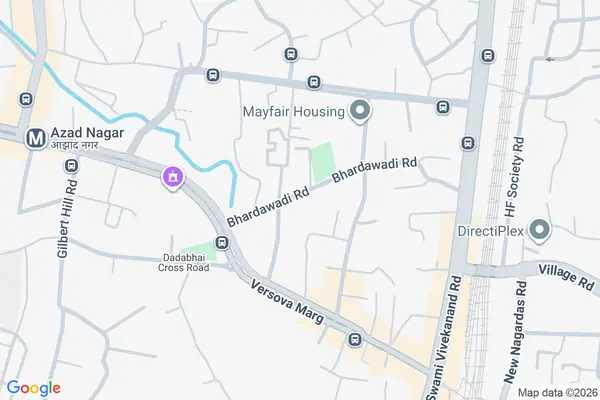
Booking tracking the customer can open. Live status, ETA, and the next update, not just a text.

Driving route through Azad Nagar to the customerAssigned · 24 min

AC service · Azad Nagar

Priya · leaving J.P. Road

Track booking

Ticket management for the desk and the field, on the same conversation.

StatusCustomerTicket
  • NewAisha KhanMissed visitTechnician did not arrive for the 10:00 slot.
  • On holdRohan MehtaQuotation pendingAsked for a written quote before confirming.
  • OpenPriya ShahRunning lateJob started, and the customer has no update yet.
  • ClosedJames AliPayout queryCommission for yesterday looks short.
  • NewNeha GuptaWhatsApp follow-upCustomer asked for the technician ETA.
  • OpenOmar FarooqIncentive mismatchThis week’s incentive did not land in salary.
  • NewAisha KhanMissed visitTechnician did not arrive for the 10:00 slot.
  • On holdRohan MehtaQuotation pendingAsked for a written quote before confirming.
  • OpenPriya ShahRunning lateJob started, and the customer has no update yet.
  • ClosedJames AliPayout queryCommission for yesterday looks short.
  • NewNeha GuptaWhatsApp follow-upCustomer asked for the technician ETA.
  • OpenOmar FarooqIncentive mismatchThis week’s incentive did not land in salary.

AI chatbot for the automated flow. It tracks the job, sends the notification, and tells you what changed.

Send WhatsApp updates for jobs running late

Quotations, commissions, salary, and incentives. Payouts release when the job is done.

Payouts released

₹48,200

Quotations
24
Commission
₹12.4k
Salary
₹86k
Incentive
₹6.1k

WhatsApp messages for every status, sent without a manual follow-up.

Booking confirmed for 4:30 PM.

Run it on any model. Anthropic, OpenAI, Google Gemini, Grok, and more.

  • Claude logoClaudeAnthropic
  • GPT logoGPTOpenAI
  • Gemini logoGeminiGoogle
  • Grok logoGrokxAI
  • DeepSeek logoDeepSeekChat

The CRM workflow

One pipeline for every inbound lead

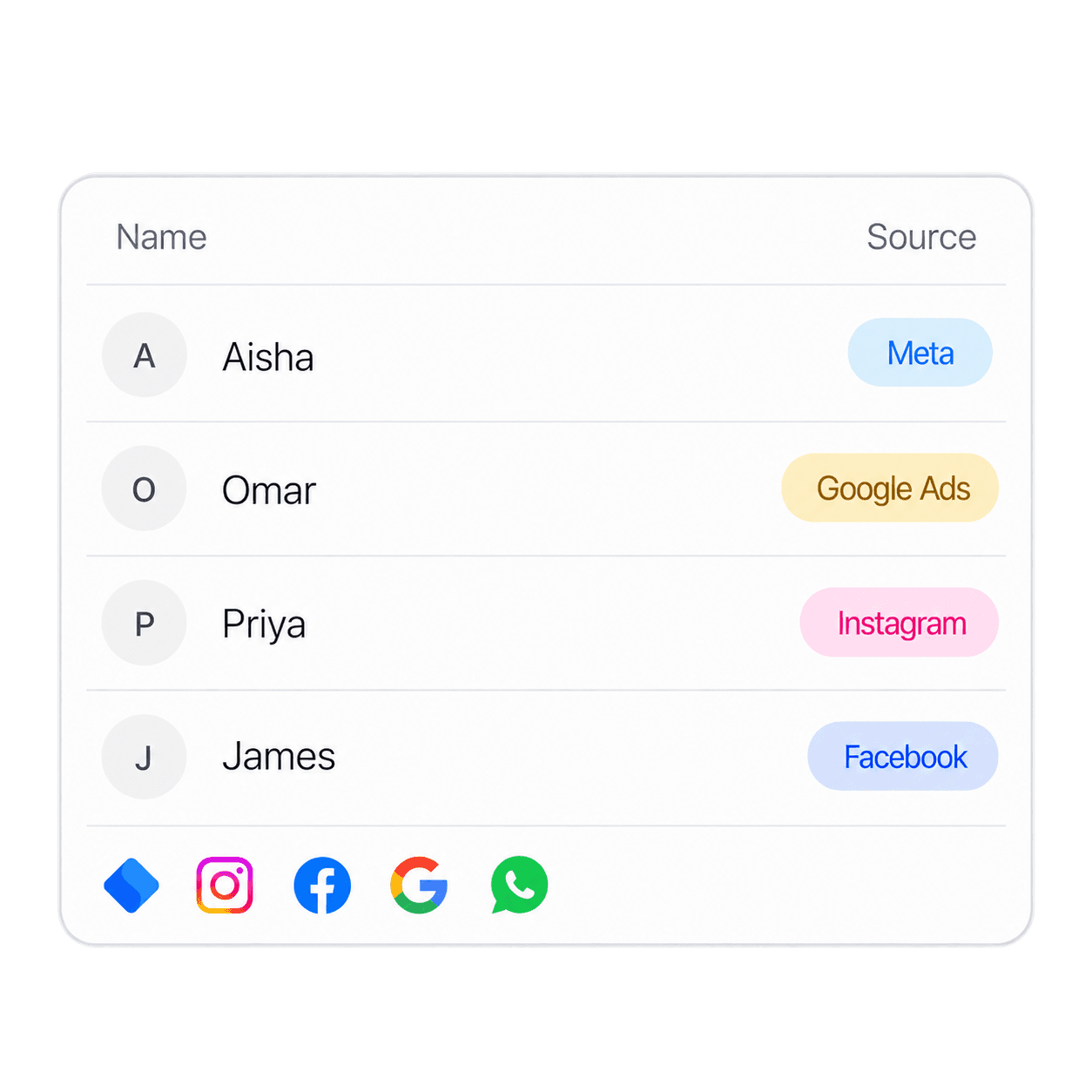
SERQ keeps Meta, Instagram, Facebook, and Google Ads enquiries in the same CRM as WhatsApp and web forms. From first contact to a booked job.

Contact list with Aisha from Meta, Omar from Google Ads, Priya from Instagram, and James from Facebook

Capture leads

Meta, Instagram, Facebook, and Google Ads sit beside WhatsApp and web forms.

Learn lead management
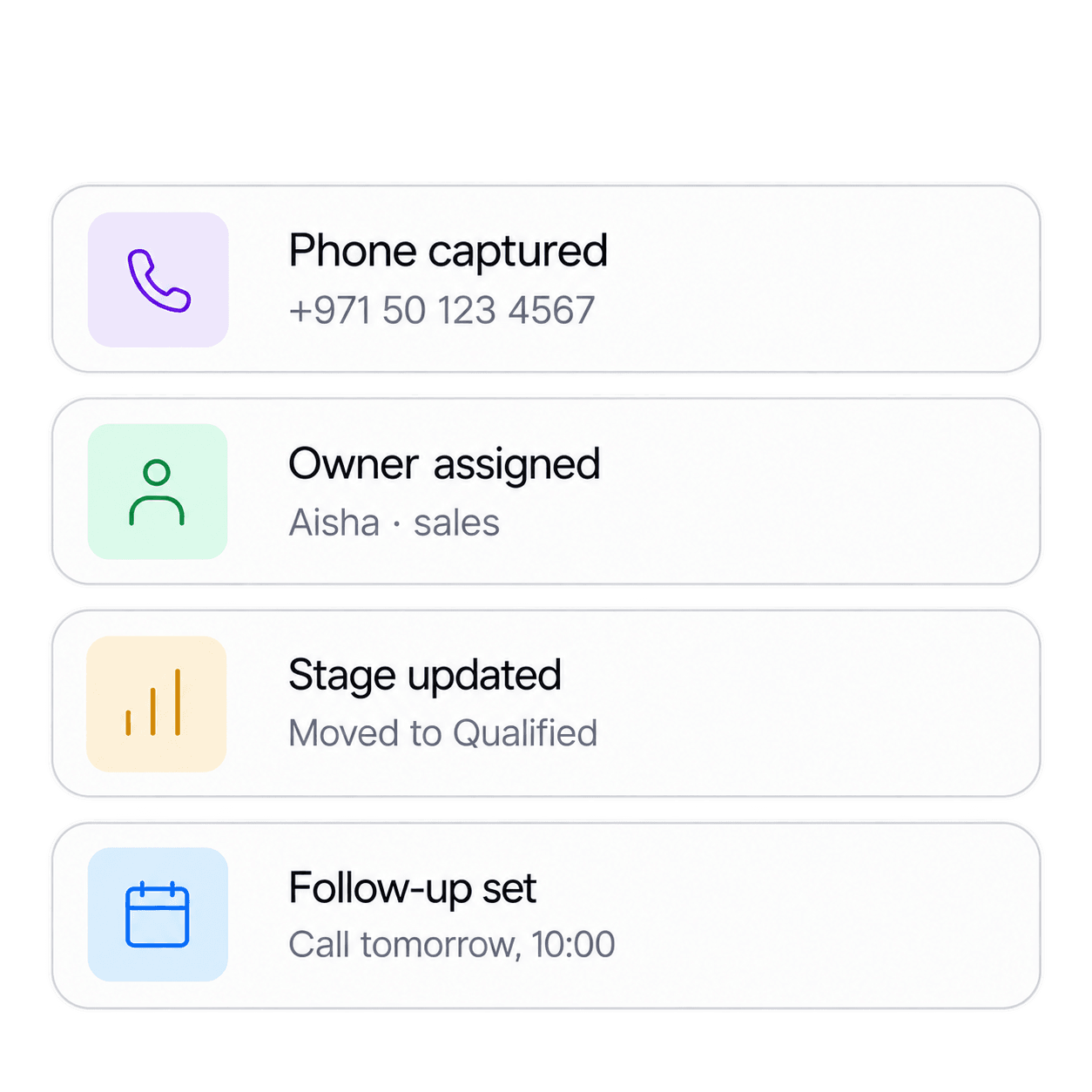
Pipeline steps: phone captured, owner assigned to Aisha in sales, stage moved to qualified, and a follow-up set

Work the pipeline

Assign an owner, log the call, and move the lead from new to qualified.

Learn CRM
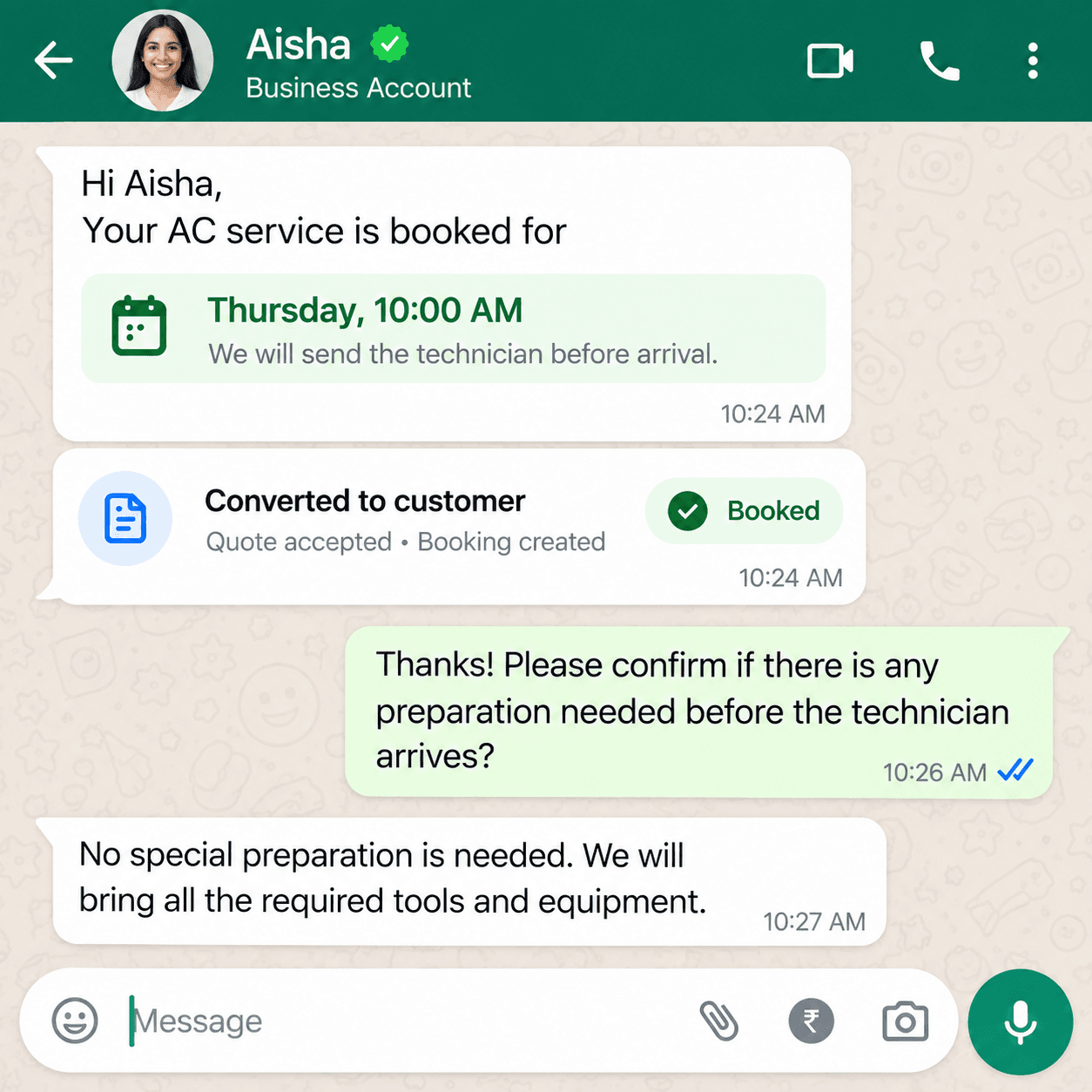
WhatsApp chat confirming Aisha's AC service booking for Thursday at 10:00 AM

Turn it into a job

Convert a qualified lead into a customer, a quote, and a booking.

Learn bookings

Scale without worry, manage from anywhere

Manage from anywhere

See live jobs, follow payouts, and run the day from the office or from the road.

Live jobsSchedulePayoutsIn-app

Regional compliance

Currency and tax follow the country you operate in, across these regions.

  • United States
  • Canada
  • India
  • Australia
  • Gulf region

In-app notifications

Reminders stay in the app. Partners are not pinged on WhatsApp for schedule changes.

Job assignedLeave approvedVisit todayPayout ready

Automate and schedule operations

Assignment, partner leave, and the calendar run as automations. The team gets an in-app notification when something changes.

  • Assign partnersA new booking goes to an available partner.
  • Partner leaveLeave sits on the schedule, so that partner is not assigned.
  • Scheduled workBookings, AMC visits, and payouts stay on the calendar.
  • In-app notificationsThe partner and the office see the update in the app.

Scale without worry

Add partners and cities without rebuilding the day. The same automations assign work, respect leave, and keep the schedule current.

Live jobs
Schedule
Payouts
In-app

Wave goodbye to

  • task overload

Wave goodbye to task overload, missed deadlines, disorganized workflows, unnecessary complexity, slow progress, scattered tools

Platform statistics

  • 300K+

    Team Collaborations

  • 500K+

    Tickets Resolved

  • 15M+

    Services Managed

  • 150K+

    Successful Integrations

FAQs

Frequently Asked Questions

Code Query is an all-in-one platform for service businesses — manage vendors, bookings, scheduling, payouts, inventory, and customer support in one place.

Automate dispatch, invoicing, and follow-ups so your team spends less time on admin and more time delivering great service.

Yes. Setup takes minutes, and our intuitive dashboard is designed for owners, dispatchers, and field teams alike.

Connect calendars, payment gateways, CRMs, and accounting software through our integrations marketplace.

Absolutely. Start free and scale as you grow — from solo operators to multi-location service companies.

Use real-time dashboards and job timelines to see open, in-progress, and completed work across every vendor.

Yes. Assign jobs by region, track inventory per location, and monitor performance from a single hub.

Automate booking confirmations, vendor assignments, payout splits, and customer reminders with 500+ workflows.

Field teams and managers can access bookings, schedules, and job details from any mobile browser — apps coming soon.

We use enterprise-grade encryption, SOC 2 practices, and role-based access so your data stays protected.

Have questions? We're here to help!

Reach out to our support team for any queries or assistance.

Contact Us

Contact

We'd love to hear from you

Contact us for inquiries, support, or feedback. We're here to assist you every step of the way.

Send us your query